AI operating system for construction

The AI operating system for construction.

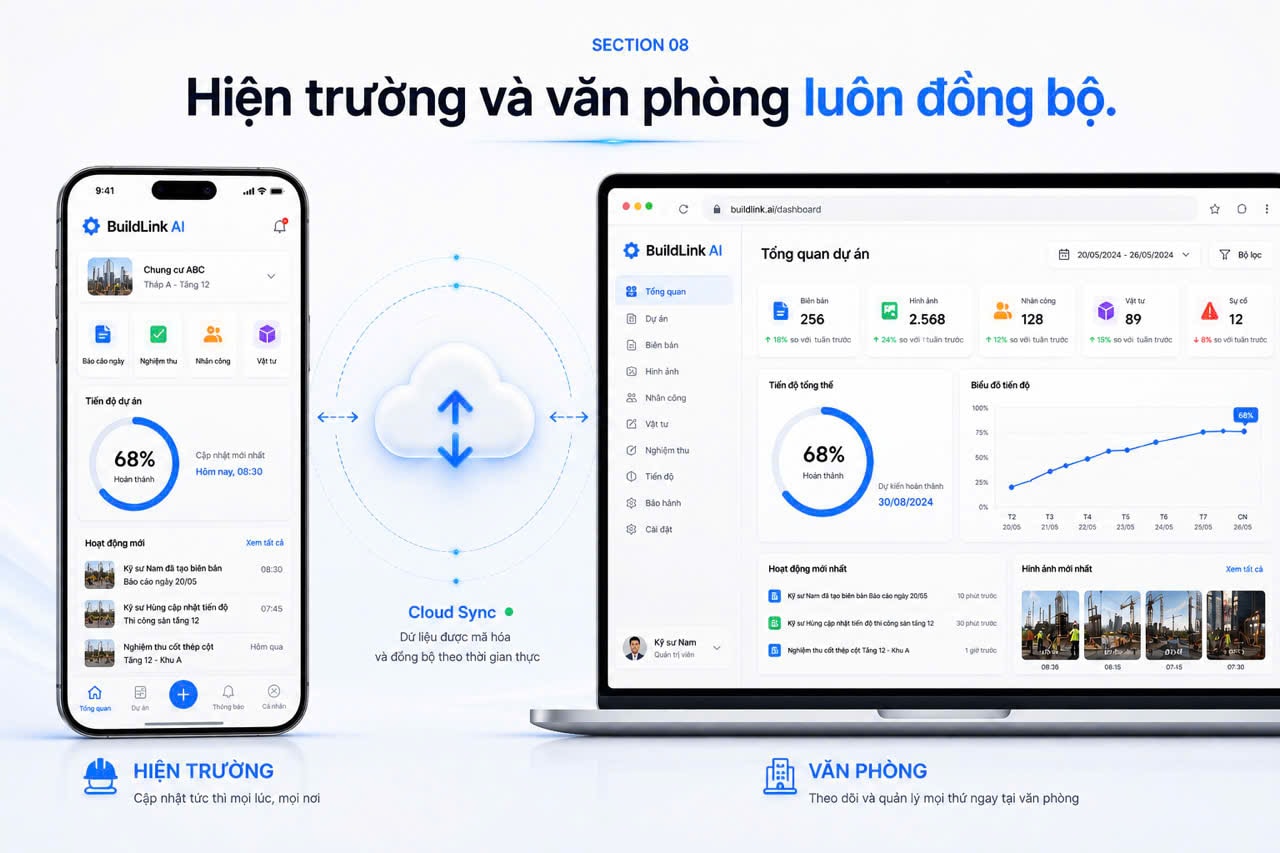
Capture data on site, automatically create reports, and turn the full project history into Project Memory so AI can remember, search, and answer at any time.

Not an ERP. A living memory for every project.
Global assistant
Global assistantAI assistance for every project

Ask BuildLink about your project data and context.

Summarize today’s progressWhat needs attention?
Message BuildLink AI…
The Current Problem

Construction data is scattered across too many places.

Fragmented information, lost files, no unified view — no one has the full picture.

Messages

Conversations split across groups

Photos & video

Media without enough context

Files & drawings

Multiple versions are hard to reconcile

Voice notes

Field information remains unstructured

Records & reports

Project files live in many places

Field data

No single connected project history

BuildLink AIOne source of data for the entire project.

BuildLink AI turns fragmented data into a single source of truth.

Operational speed

From the field to a report in around 2 minutes.

Engineers stay focused on the site. BuildLink AI handles the reporting work behind the scenes.

≈ 2 minutes
Field capture
Structured recordAI understandsStructure informationCreate a record / report
Structured record
  1. 01Voice / Photo
  2. 02AI understands
  3. 03Structure information
  4. 04Create a record / report
  5. 05Save to Project Memory

Illustrated flow: Capture → Understand → Remember → Act.

Project Memory

Every workday becomes the memory of your project.

Photos, voice, reports, and decisions from each workday are organized by time, contributor, and work item.

Every image. Every voice note. Every report. Every decision. All become part of the project’s memory.

From the field to Project Memory — 3 steps.
  1. 01

    Capture on-siteCapture photos, video and voice on your phone, connected to the project context and time of work.

  2. 02

    AI structures and highlightsAI helps classify, summarize and highlight information that engineers should review.

  3. 03

    Becomes Project MemoryLogs, media and reports accumulate by date so teams can follow and retrieve project context.

All data from every project — in one place.

Project Memory
Daily and shift-based journalAll data from every project — in one place.

Photos, video and reports in one projectAll data from every project — in one place.

Documents and drawings organized clearlyAll data from every project — in one place.

Ask your project

Stop searching through files. Just ask.

BuildLink AI understands Project Memory and answers from the real data recorded in each project.

Ask your projectWhat work was completed on site this week?Answer from Project Memory
Ask your project

01What work was completed on site this week?

02Which issues are still unresolved?

03When was the level 3 waterproofing completed?

04Who is responsible for this issue?

05Show me the images related to this work.

Answer from Project Memory

BuildLink summarizes what has been recorded in the project journal, images, and reports. Every result can be opened back to its original source.

Referenced sources

Daily journalTime and work item

Field imagesContributor and location

Related reportContent and status

AI-assisted Quality Inspection

AI detects unusual signs on the construction site.

AI analyzes images, highlights areas that need attention, and suggests what engineers can review faster.

  1. 01Capture
  2. 02AI analyzes
  3. 03Highlight
  4. 04Suggest an issue
  5. 05Engineer confirms

The final professional decision always belongs to the engineer.

Field photo
Area to reviewConcrete surface photo with areas highlighted for engineer review123
Analysis area illustration
TRACEABLE AI

AI answers. The original data is always behind it.

BuildLink AI answers from real project data and lets teams trace every result back to the contributor, time, location, media, and related report.

Field photo • 07:30 • Captured by: Project engineer

Report • AI-assisted structure • Reinforcement work

Status: Awaiting review • Role: Site manager

Source context

Connects records to the person and work that created them

Time & location

Metadata stays connected when information is captured

Project permissions

Information stays within the appropriate member scope

Project lifecycle

One memory across the entire construction lifecycle.

Project Memory preserves context from the first survey through handover and warranty.

PROJECT MEMORY
  1. 01Survey
  2. 02Design
  3. 03Construction
  4. 04Acceptance
  5. 05Handover
  6. 06Warranty
One Source of Data

For every role in your project.

Field engineer capturing work on a construction site
Field engineer
One shared project context
Project manager reviewing construction data in the office
Site ManagerProject ManagerBusiness OwnerInvestor
Create your first Project Memory

Your project already has data. It is time for that data to have a memory.

Start with one project — no complex rollout or lengthy training required.

Create your first Project Memory from real field data.